Northline Awards · Free resources
Corporate Awards planning tools
Twelve free planners from Northline Awards help the person running a company recognition program. Some count pieces per award tier or per site. Some add quoted costs into one figure for a finance request. Others measure citation length and draft titles and dedications. A pair of date planners starts at the ceremony and steps back to proof sign-off. All work on figures you supply.
Keep individual recognition and shared company displays on separate order lines. A single trophy photographed at the ceremony may represent a whole team, while a personal desk piece needs its own recipient wording. Decide who keeps each piece before reconciling the quantity.
calculator
Quantity Calculator
Add up how many awards a recognition program needs from recipients, pieces per recipient, shared team displays and any spares you choose to enter.
calculator
Budget Estimator
Turn a quote into one planning total by entering quantity, unit cost, design or setup charges, packing and shipping, and tax or duty.
checker
Engraving Text Length Checker
Count the characters in each line of an award inscription against a budget you set, so long titles and citations are spotted early.
calculator
Shipping & Timeline Estimator
Enter the required arrival date and your quoted stage durations to see the latest dispatch date and when proof review has to begin.
checker
Material Comparison Tool
Set two materials next to each other, such as clear acrylic and walnut, and see what to confirm before choosing one for a program.
planner
Production Timeline Planner
Work backward from the arrival date to a start date for each stage, so the people who must sign off know their day.
generator
Engraving Wording Generator
Enter a recipient, an occasion and a date to get editable inscription drafts for an individual or team award.
planner
Event Award Planning Checklist
A tick-box list of the award decisions behind a company ceremony, with progress tracked while the page stays open.
planner
Employee Recognition Program Planner
Build a program total row by row, one line per award category, with the number of groups and pieces per group, plus optional spares.
generator
Award Title Generator
Generate naming ideas for a company award from a recognition theme such as mentoring, service or innovation, then edit the one you keep.
generator
Plaque Wording Generator
Produce editable dedication drafts for a wall plaque from a recipient, an occasion and exact dates, using only details you have verified.
calculator
Safety Milestone Award Calculator
Multiply the people being recognized by the recognition occasions in your planning period, then add team or site display pieces and spares.
A useful order plan, in three decisions
Step 1
Count the actual pieces
Start with the recipients, positions or physical units in your order. Distinguish shared pieces from personal ones, and count packaging separately. Use the quantity tool to reconcile the inventory before discussing a product price.
Open the toolStep 2
Prepare the words and design
Choose the material direction around the intended use. Check exact names and identifiers, then use the text counter to edit line lengths. The final proof needs the product dimensions, artwork and approved wording together.
Open the toolStep 3
Review cost and timing
Enter current quoted costs into the budget tool and confirmed stage durations into the timeline. Keep unknown amounts or dates visible in your brief. The calculation helps you evaluate a proposal; it does not reserve production or purchase shipping.
Open the toolDetails to retain for your order: Award tier, approved company name, recipient title and display location.
Choose the pieces your plan describes
Use these designs to discuss the physical format, personalization and intended use. The images are original AI-generated concepts; final dimensions, material and construction are developed in the quote and proof.

Design concept · Clear acrylic, satin metal and walnut
Acrylic Leadership Award
Choose this sculptural design for a keynote presentation or an individual leadership award. For a recurring employee program, keep the silhouette consistent and change the achievement line so each recipient's contribution remains specific.
Explore the design and personalization
Design concept · Acrylic with gold accents
Acrylic Corporate Achievement Award
This compact award suits recognition that needs a recipient, a short achievement and a company logo. Choose the larger team award when several names need equal prominence; squeezing a roster into this layout weakens the main message.
Explore the design and personalization
Design concept · Walnut wood with gold plate
Walnut Employee Recognition Plaque
Choose a wall plaque when the recipient has an office or shared workspace to display it. A short dedication leaves the name prominent; a longer letter of appreciation works better as a separate card accompanying the plaque.
Explore the design and personalization
Design concept · Metal and acrylic
Sales Achievement Trophy
Use a separate trophy for each achievement category instead of putting multiple rankings on one face. When the recognition includes a revenue figure, choose the period and metric before the inscription so the award describes the exact result you intend.
Explore the design and personalization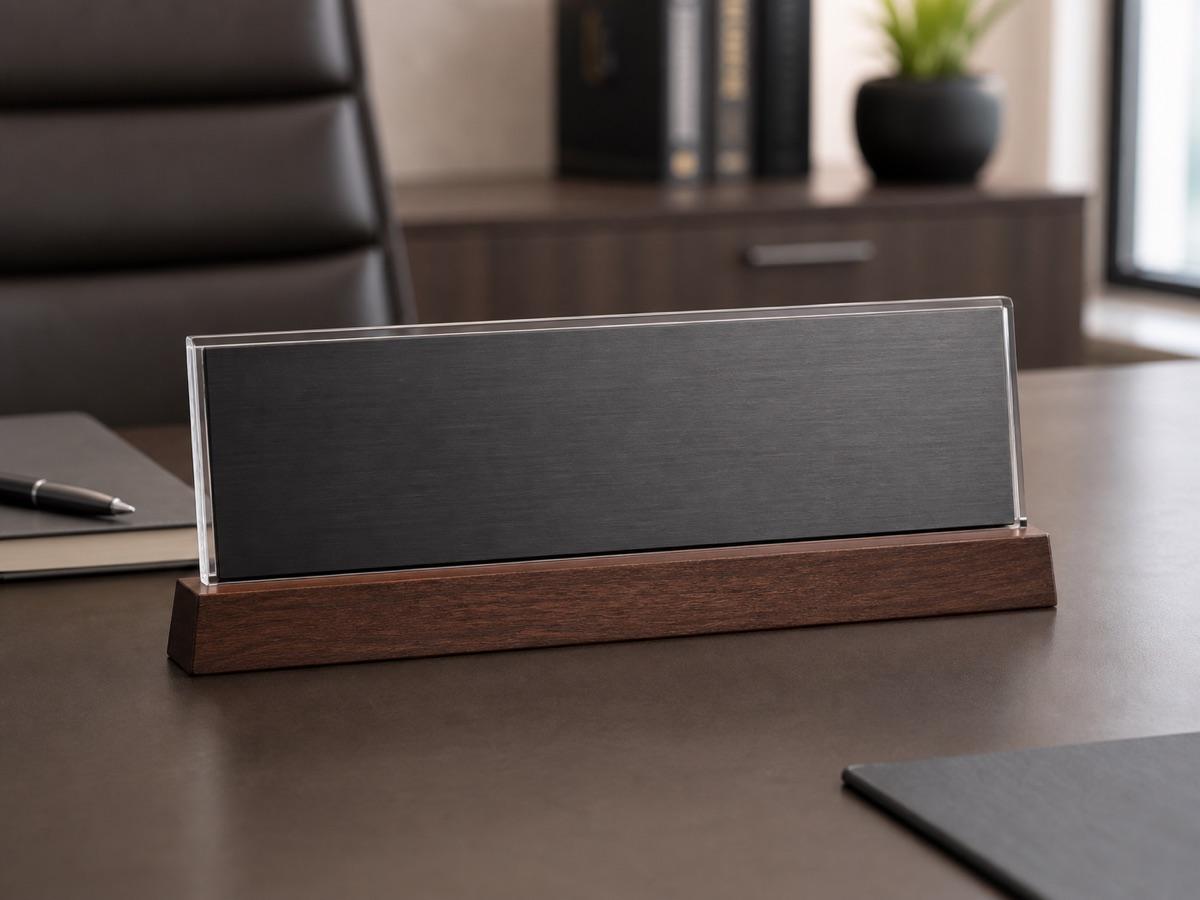
Design concept · Acrylic, metal, or wood
Executive Desk Nameplate
Choose a name-only version for a role that may change, or add a title when it is central to the introduction. The longest name in a team order should set the lettering scale so neighboring desks look coordinated.
Explore the design and personalizationFrom planning result to a useful quote request
The calculators run in your browser. Where a tool offers a quote button, choosing it saves the result as a draft for this brand in the same browser tab. Review the message on the quote page and add the product, material, dimensions, destination and required date. The draft is sent only when you submit the contact form.
Worked examples explain the arithmetic and wording choices. They use sample details and do not represent completed customer orders. Keep your actual names and identifiers in your approved source file, and ask for written confirmation of the final design, price and delivery plan before production.
Which buying guide should you read next?
All buying guidesChoose a traveling award by its complete construction, recipient handoff and packed journey. Compare acrylic and a specified glass or crystal proposal without turning a raw-material weight comparison into a freight-price promise.
Choose a desk nameplate by whether identity stays with the person or changes with the workstation, then compare the actual insert access, footprint and viewing arrangement.
Separate the exact inscription, internal recipient reference, language approval and packing reference so a multilingual award program can be proofed without altering names or confusing languages with piece counts.
Connect protective packing with a clear presentation order so ceremony staff can find the correct tier and recipient without confusing similar awards.
Northline Awards quote
Send your corporate award plan for pricing
For corporate awards, Northline Awards prices from the design, tiers and counts, personal or shared, wording, logo and destination and date. Paste the planning result into the message.