Corporate Awards · Free planning resource
Recognition Program Planner
Add one row per award category in the form label, groups, pieces per group. The Northline Awards planner multiplies each row, adds your spares and shows the program total. It needs counts only, so keep recipient names in your own roster. Use it when a program has several kinds of award that a single multiplication cannot describe.
Build your plan
Use a row for each department or milestone. For example: Service awards | 12 | 1. Keep recipient names in your private roster; this planner needs only counts.
The decision behind a company recognition program
Keep individual recognition and shared company displays on separate order lines. A single trophy photographed at the ceremony may represent a whole team, while a personal desk piece needs its own recipient wording. Decide who keeps each piece before reconciling the quantity.
Keep with your brief: Award tier, approved company name, recipient title and display location.
Illustrative example · Not a completed customer order
Reconcile two service milestones
Eighteen five-year recipients and six ten-year recipients each receive one piece. One shared team plaque is a third, separate row. No spare pieces are assumed.
- One row per category: label | groups | pieces per group
- Five-year service | 18 | 1 Ten-year service | 6 | 1 Team appreciation | 1 | 1
- Additional spare pieces
- 0
Calculated example result
25 total pieces Five-year service: 18 × 1 = 18 Ten-year service: 6 × 1 = 6 Team appreciation: 1 × 1 = 1 Additional spares: 0
Load these inputs in the tool aboveUnderstand what the result means
Sum of each category’s groups × pieces per group, plus entered spares
The result is 25 physical pieces. It does not establish that any person qualifies for a milestone, and it does not create an annual recognition calendar. Use the department or program owner’s approved eligibility list, then attach the final names and wording to those 25 order positions.
How does a multi-category program add up?
A head of people is planning the first company-wide recognition program and needs one number for the leadership team. She enters four rows. Leadership awards, three recipients, one piece each. Innovation awards, two project teams, one Innovation Award Trophy each. Team displays, four departments, one piece each. Retirements, five people, one Retirement Appreciation Plaque each. The rows come to three, two, four and five, so the program total is fourteen with no spares. Seeing the rows stacked raises a question the total hides: should each innovation team get one shared trophy, or one per member? She leaves the row as it is and asks Northline Awards to quote the per-member option as an alternative.
Check these details before using the result
- One row covering two designs
- Give each design its own row. Service plaques and acrylic awards in a single line cannot be quoted or proofed cleanly.
- Typing names into the label
- Labels are for categories such as Leadership or Retirements. Recipient names belong in your private roster, not in a planning tool.
- Groups confused with people
- For a team row, groups means teams. If each member receives a piece, enter the headcount as pieces per group.
Choose the pieces your plan describes
Use these designs to discuss the physical format, personalization and intended use. The images are original AI-generated concepts; final dimensions, material and construction are developed in the quote and proof.

Design concept · Clear acrylic, satin metal and walnut
Acrylic Leadership Award
Choose this sculptural design for a keynote presentation or an individual leadership award. For a recurring employee program, keep the silhouette consistent and change the achievement line so each recipient's contribution remains specific.
Explore the design and personalization
Design concept · Acrylic with gold accents
Acrylic Corporate Achievement Award
This compact award suits recognition that needs a recipient, a short achievement and a company logo. Choose the larger team award when several names need equal prominence; squeezing a roster into this layout weakens the main message.
Explore the design and personalization
Design concept · Walnut wood with gold plate
Walnut Employee Recognition Plaque
Choose a wall plaque when the recipient has an office or shared workspace to display it. A short dedication leaves the name prominent; a longer letter of appreciation works better as a separate card accompanying the plaque.
Explore the design and personalization
Design concept · Metal and acrylic
Sales Achievement Trophy
Use a separate trophy for each achievement category instead of putting multiple rankings on one face. When the recognition includes a revenue figure, choose the period and metric before the inscription so the award describes the exact result you intend.
Explore the design and personalization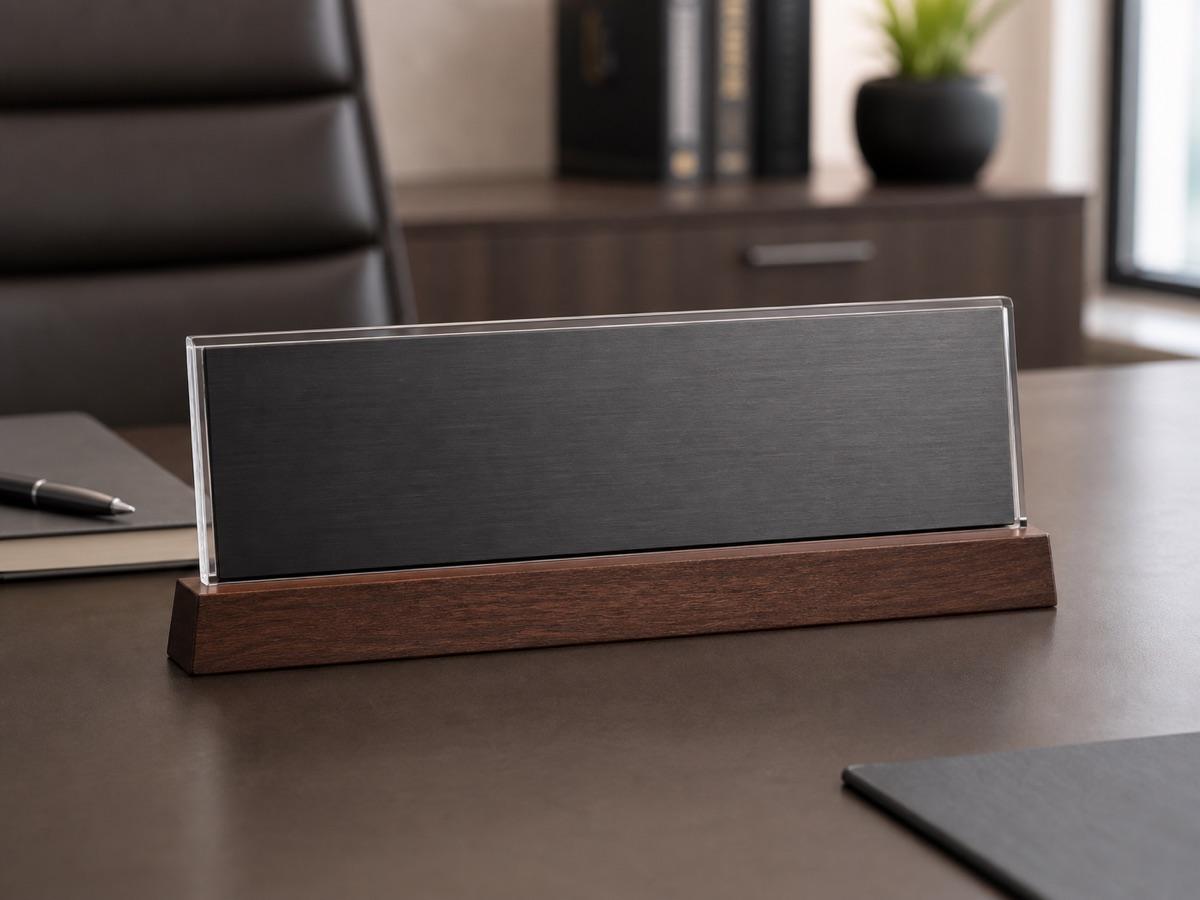
Design concept · Acrylic, metal, or wood
Executive Desk Nameplate
Choose a name-only version for a role that may change, or add a title when it is central to the introduction. The longest name in a team order should set the lettering scale so neighboring desks look coordinated.
Explore the design and personalizationQuestions about this planner
How is the program planner different from the quantity calculator?
The quantity calculator handles one multiplication: recipients times pieces, plus extras. The program planner accepts many rows, each with its own multiplier. Use the calculator for a single award type and the planner when leadership awards, team displays and plaques all sit in one program.
Can it plan a program that repeats every quarter?
Enter the pieces for one cycle, note the total, then multiply by the cycles in your year on paper. Winners are unknown in advance, so many companies request a quote for the first cycle and reuse the approved layout afterward. Ask Northline Awards how a repeat order is referenced.
Which buying guide should you read next?
All buying guidesChoose a traveling award by its complete construction, recipient handoff and packed journey. Compare acrylic and a specified glass or crystal proposal without turning a raw-material weight comparison into a freight-price promise.
Choose a desk nameplate by whether identity stays with the person or changes with the workstation, then compare the actual insert access, footprint and viewing arrangement.
Separate the exact inscription, internal recipient reference, language approval and packing reference so a multilingual award program can be proofed without altering names or confusing languages with piece counts.
Connect protective packing with a clear presentation order so ceremony staff can find the correct tier and recipient without confusing similar awards.
Continue your order planning
Quantity Calculator
Add up how many awards a recognition program needs from recipients, pieces per recipient, shared team displays and any spares you choose to enter.
Budget Estimator
Turn a quote into one planning total by entering quantity, unit cost, design or setup charges, packing and shipping, and tax or duty.
Engraving Text Length Checker
Count the characters in each line of an award inscription against a budget you set, so long titles and citations are spotted early.
Northline Awards quote
Send your corporate award plan for pricing
For corporate awards, Northline Awards prices from the design, tiers and counts, personal or shared, wording, logo and destination and date. Paste the planning result into the message.